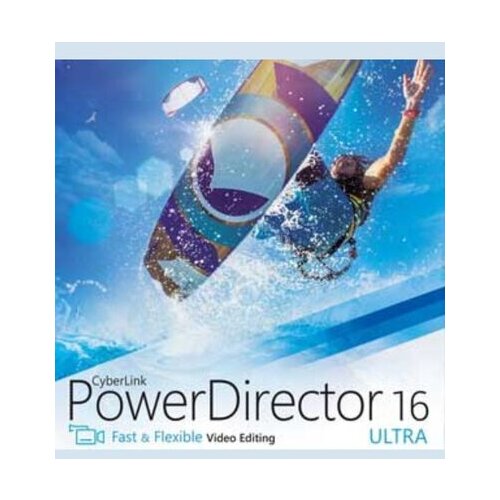
A video editor that keeps winning PC Magazine's Editors' Choice year after year has clearly been doing something right for a long time. CyberLink PowerDirector has held that award for over a decade and its reputation rests on covering the full spectrum of what video editing involves, from beginnerfriendly draganddrop assembly through to multicam editing, keyframing, chroma keying, and a growing suite of AI tools that handle the timeconsuming parts automatically. The latest versions bring AI voi
A video editor that keeps winning PC Magazine's Editors' Choice year after year has clearly been doing something right for a long time. CyberLink PowerDirector has held that award for over a decade and its reputation rests on covering the full spectrum of what video editing involves, from beginnerfriendly draganddrop assembly through to multicam editing, keyframing, chroma keying, and a growing suite of AI tools that handle the timeconsuming parts automatically. The latest versions bring AI voice translation, AI auto editing, object removal, background removal, video enhancement, and frame interpolation to a timelinebased workflow that runs on both Windows and macOS. It works with all major formats up to 4K, publishes directly to YouTube, TikTok, Facebook, and Vimeo, and draws on a builtin royaltyfree stock library powered by Getty Images. Available as a onetime purchase or annual subscription, PowerDirector is built for content creators, hobbyists, and enthusiasts who want a fullfeatured editing environment without the price tag of professional broadcast software. What can I do with CyberLink PowerDirector? With CyberLink PowerDirector, you can: Edit videos on a full multitrack timeline. Cut, trim, split, and arrange clips across multiple tracks with precision controls including keyframing, speed adjustment, blend modes, and realtime previews. The interface scales from a simplified quickedit mode for beginners to a complete timeline for complex productions. Remove and replace backgrounds automatically. AI Background Remover isolates subjects from footage without a green screen, and AI Object Removal cleans up unwanted elements passersby, logos, distractions directly from video clips without needing to reshoot. Fix shaky footage with video stabilisation. The builtin stabiliser smooths out camera shake in real time without prerendering, making handheld and action footage usable without additional software. Edit with multiple camera angles. The multicam editing tool lets you sync footage from several cameras and cut between them dynamically, building sequences that switch perspectives the way a live director would. Enhance video quality with AI. AI Video Enhancement automatically improves colour, contrast, and clarity in footage. AI Frame Interpolation generates additional frames between existing ones for smoother slow motion, and AI Super Slow Motion creates highquality slowmotion effects from regular footage. Add AIgenerated subtitles and translate audio. Auto caption tools generate subtitles from spoken audio, and AI Voice Translation converts video dialogue into other languages while preserving the original voice characteristics and maintaining natural lip sync. Apply chroma key and green screen effects. A multikey colour sampling engine produces clean, accurate green screen composites for placing subjects against any background still or moving. Record screen and webcam simultaneously. The builtin screen recorder captures both feeds at once and saves them as separate clips, making it straightforward to build tutorials, commentary videos, and presentations without additional recording software. Access a royaltyfree stock library. PowerDirector includes access to a library of stock video, photos, and music from Getty Images and the Meta Sound Collection, covering millions of assets that can be dropped directly onto the timeline. Create Professional Videos With CyberLink PowerDirector Most video editing tools make you choose between power and accessibility. PowerDirector has spent years building a case that you do not have to. The AI tools take the repetitive work off the table automatic captions, stabilisation, background removal, and colour correction all happen in clicks rather than hours while the full timeline, multicam workflow, and chroma key engine give experienced editors everything they need for a complex production. It runs on Windows and macOS, exports directly to major social platforms, and is available as either a onetime purchase or an annual subscription with continuously updated features. Buy CyberLink PowerDirector and bring a decade of awardwinning video editing technology to your next project.
Eponuda sajt za upoređivanje cena i proizvoda, Vam omogućava da brzo i lako nađete CyberLink PowerDirector 16 Ultra Key GLOBAL po najpovoljnijoj ceni u prodavnicama Eneba. Naš cilj je da kupci budu što bolje informisani o ponudi na tržištu Srbije (Beograd, Novi Sad, Niš, Kragujevac, Leskovac, Subotica i ostali gradovi). Vrlo lako nalazite željeni proizvod, cene i akcije za kategoriju Nesortirano , ne morate da lutate od sajta do sajta za Nesortirano sve Vam je na jednom mestu. Naši operateri svakodnevno ažuriraju cene ali je potrebno da proverite cenu i dostupnost kod prodavnice. Eponuda ne može da garantuje potpunu tačnost specifikacije i slika za CyberLink PowerDirector 16 Ultra Key GLOBAL. Pre kupovine, proverite podatke na sajtu prodavnice.